Best Way to Share Family Photos with Grandparents Using ZipClips
There’s a specific kind of tired that comes from sending the same photo to five different people, one text at a time.
First it’s your mom. Then your mother-in-law. Then your sister, who always asks, “Wait, when was this?” because there was no context attached, just a picture with no story behind it. Later, someone else texts back asking for the video too. Then another person says they never got it.
The photo was supposed to be a sweet update. Somehow, it turned into a tiny admin job.
That is why many families are looking for the best way to share family photos with grandparents without juggling separate text threads, lost captions, and repeated explanations. ZipClips makes that simple. Add your voice to the photo once, send it to your private group once, and everyone gets the same memory at the same time.
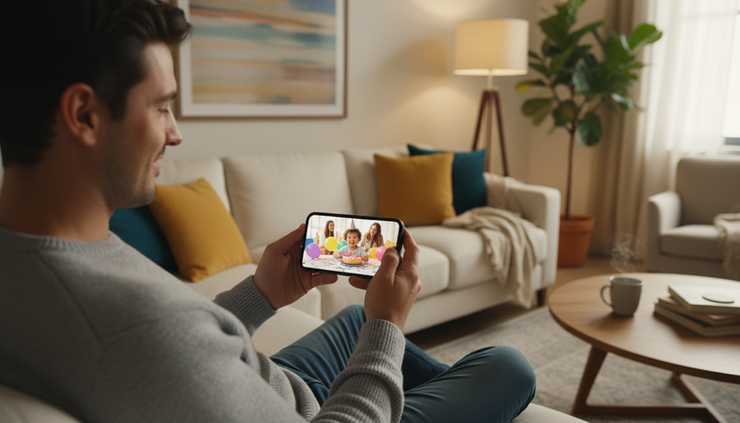
Why texting photos one by one gets messy
Texting photos person by person works when it is one picture and one recipient. It starts to fall apart when real family life gets involved.
A grandparent wants every preschool moment. An aunt wants vacation updates. A sibling wants the funny outtakes. A close friend wants the video from the school concert. Before long, the same photo is moving through several conversations, each with a slightly different caption or no caption at all.
Sending photos one text at a time is slow and messy. See why families are switching to ZipClips instead.
The problem is not only the time it takes. It is the confusion that comes after.
Texted photos often get buried under:
Grocery reminders
Appointment details
Random reactions
Group chat side conversations
“Can you send that again?” messages
Screenshots and unrelated links
A photo of the first lost tooth may sit between a question about dinner and a message about weekend plans. A vacation clip might disappear under twenty replies before a grandparent has a chance to watch it.
When memories live inside scattered text threads, they are harder to enjoy and harder to find later.
ZipClips keeps the photo and story together
A photo is better when the story comes with it.
A picture of a child covered in flour is cute. A quick voice note saying, “She insisted she could crack the eggs herself, and this was about ten seconds before the bowl hit the floor,” turns it into a memory.
That is where ZipClips feels different from ordinary texting. Instead of typing a caption for every person, you can record a short voice note once and attach it directly to the photo or video.

Typing “so cute!!” takes effort and still says less than a five-second voice note where the excitement is clear in your tone. Grandparents do not just see the moment. They hear how it felt.
That matters for:
First steps
Ultrasound updates
School plays
Sports highlights
Vacation moments
Birthday candles
Everyday funny things kids say
A caption can explain what happened. A voice note can make the moment feel close, even when family lives across the country or someone is deployed, traveling, or unable to visit often.
Everyone gets the same update at the same time
The old way creates gaps.
Maybe one grandparent gets the photo right away. Another gets it hours later. Someone gets the picture but not the video. Someone else misses the context because it was typed in a different thread.
ZipClips fixes that by letting you send a photo or video to an entire private group in one send. Everyone in the group receives the update as soon as you share it.
That means no mental checklist of who got what. No bouncing between contact names. No wondering whether you already sent the clip to your dad or only meant to.
For families, that one-send setup is especially useful during busy moments:
A new baby announcement
A family trip
A graduation weekend
A holiday gathering
A game, recital, or school event
A neighborhood or community update
A small team celebration
It also helps avoid the awkward feeling that someone was left out. When the group is set, the moment goes to everyone who should receive it.

A private group is easier than a noisy group chat
Family group chats can be helpful, but they can also become chaotic fast.
One person reacts with a heart. Another asks a question. Someone changes the subject. Someone sends a meme. By the next day, the original photo is buried.
ZipClips gives families a cleaner place for photo and video updates. The focus stays on the memory, not on the noise around it.
That is especially helpful for privacy-conscious parents and families who do not want every child update shared across social platforms or lost inside busy messaging apps. A private group gives the moment a clear home.
It also makes things easier for grandparents or older relatives who may not want to scroll through a long thread to find one photo. When the update arrives with the voice note attached, the context is right there.
No guessing. No searching. No “What day was this from again?”
Voice makes long-distance family feel closer
Photos show what happened. Voice brings the person into the room.
For long-distance families, that can make a big difference. A grandparent may not be there for the soccer goal, the messy art project, or the first day of school. But hearing a parent laugh while explaining the moment makes the update feel warmer and more complete.
The same is true for military families, travel groups, close friends, and extended families spread across different states. A voice note can carry emotion without asking anyone to write a long message.
ZipClips lets you skip the typing and just talk, the same way you would tell the story in person.
That turns a quick share into something more meaningful:
“He picked this outfit himself.”
“This was right before she saw the ocean.”
“Listen to what he says at the end of the video.”
“Grandma, this one made us think of you.”
These small details are easy to leave out when texting feels like a chore. ZipClips makes them easy to include.

The better way is the one your family will actually use
The best photo-sharing tool is not the one with the most complicated features. It is the one that makes sharing feel easy enough to do often.
Texting one person at a time adds small bits of friction. A few extra taps here. A repeated caption there. A forgotten recipient. A buried photo. Over time, those little hassles make people share less.
ZipClips removes the parts that slow families down:
Send once to a private group
Add a voice note instead of typing
Keep the photo and story together
Help everyone receive the same update
Make memories easier to find later
That is the real shift. Instead of treating family photos like files to distribute, ZipClips treats them like moments to share.
For grandparents, that means more than getting another picture. It means getting the context, the voice, and the feeling behind it. For parents and family members, it means less repeating and more connecting.
The old way turns one sweet photo into five separate messages. ZipClips turns it back into what it was meant to be: one memory, shared simply, with the people who care most.


Comments